
Does Alexa Work With The Nest Thermostat?
/ James BothHow to get the nest thermostat to work with Alexa
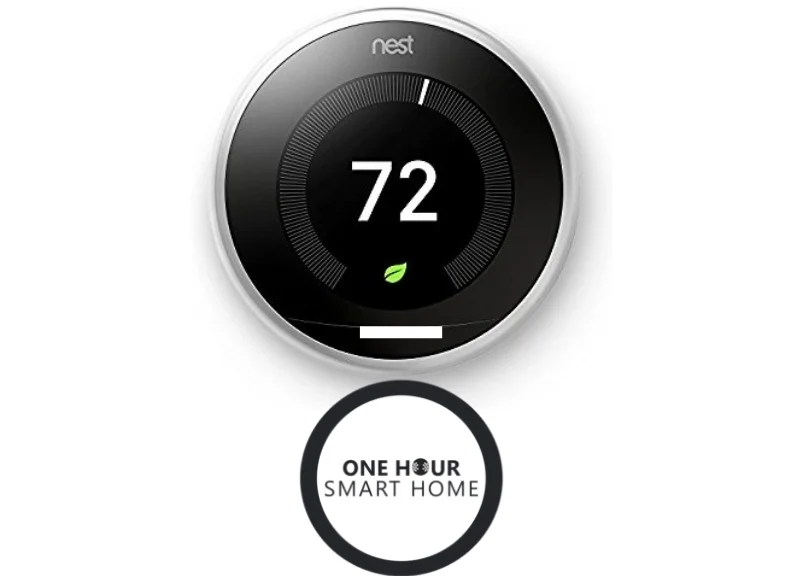
Does Alexa Work With The Nest Thermostat? : How to connect your nest thermostat to Alexa.
Yes, the Alexa works with the nest thermostat, including nest e, nest generation 3 thermostat, and nest generation 2 thermostat. If you connect your nest thermostat to Alexa it will allow you to control your heating and cooling using your voice through Alexa. We teach you how to set up your nest thermostat with Alexa below.
STEPS TO SET UP NEST WITH ALEXA
1. Set up and install the nest thermostat generation 3
2. Set up and install the Amazon Alexa App.
3. Within the Amazon Alexa App click on the “Skills Tab” within the Amazon Alexa menu.
4. Search “Nest” in the skills tab, and click enable on the nest skill.
5. Login in to your nest account.
6. Nest and Alexa now work together. You can now say “Alexa, set thermostat to 72 degrees”
Best Nest Thermostat & Amazon Alexa Commands
“Alexa, set thermostat to 70 degrees”
The nest thermostat gen 3 will then change temperature to requested.
“Alexa, set thermostat to heat”
Changes nest thermostat to heating mode.
“Alexa, set thermostat to cool”
Changes nest thermostat to cooling mode.
“Alexa, set thermostat to eco mode”
Changes nest thermostat to eco mode to save energy.
“Alexa, set thermostat to off”
Turns off nest thermostat.
“Alexa, what temperature is the thermostat set to?”
Alexa will respond by telling you if your thermostat is in heating or cooling mode and what temperature your thermostat is currently set to.
Related Blog Post: Best 101 Amazon Alexa Voice Commands
Best Amazon Alexa Device: Amazon Echo Spot
Best Accessories For Your Nest Thermostat
Do you want a cover plate for your nest thermostat to match your decor?
Stainless Steel Nest Cover Plate
Round White Nest Wall Cover Plate
Brushed Aluminum Nest Wall Cover Plate
Related Blog Post: Best WiFi Network for Nest
Does Nest Work With Apple Watch? Yes, we teach you how you can connect your Apple Watch to Nest so you can control your smart thermostat from your wrist.

Does Nest Work With Alexa? Yes, we teach you how to connect your Nest Thermostat, Nest Cameras or Nest Doorbell to Alexa for voice control of your smart nest device. We also provide you with the complete guide to Alexa voice commands to use with your Nest Thermostat, Nest Cameras or Nest Doorbell.
The Nest Thermostat will work with any Amazon Alexa Echo device but the Nest Cameras and Nest Doorbell require an Echo Device with a screen like the Echo Show or Echo Spot.
We cover all of the Alexa nest commands that work with nest devices for voice control of your smart home using Amazon Alexa Echo Devices like the Echo Dot and Echo Show. You can control your nest thermostat, nest doorbell and nest cameras with Alexa nest commands.
The Nest Protect Smoke Detector, Nest x Yale lock, nest security system and the Nest Temperature sensors don’t currently support Alexa Nest commands.
Nest voice commands that work with Alexa are a great way to add voice control and luxury to your smart home devices. If you already have several nest smart home devices you can enable additional functionality with voice control by connecting an Alexa device like the Echo Show or Echo Dot.

Nest vs Ecobee: Which smart thermostat is best for you? We cover everything you need to know if you are considering either of these two smart thermostats. The nest and ecobee thermostat are two of the best smart thermostats on the market and millions of these smart thermostats have been installed in homes worldwide.
Both nest and ecobee will help you save energy, make your life easier and they both work with Amazon Alexa for full voice control of your smart thermostat.
There are a few major differences between the two smart thermostats and we compare nest vs ecobee so you can decide on the features you want in your smart thermostat.

We provide our Ring Security System review. I’ve tested a lot of smart home security systems over the years and for the time being I’ve chosen to stick with the Ring Security system because of it’s huge feature set, great value and reliability.
What I like about the Ring Security System is that you don’t need to sign up for a security monitoring contract but if you want professional monitoring it’s only $10 a month to have your system professionally monitored.
The Ring Security System offers a huge list of features that allow you to protect your home and family from intruders but also protect your home from water damage, fires and carbon monoxide. The Ring Security System offers a wide array of sensors and is constantly updating features to provide a great user experience.
The Ring Security System is also compatible with Alexa meaning that you can arm and disarm your security system using your voice and your passcode. The added functionality of voice control of your alarm system is something few other competing alarm systems don’t offer.

We review the Sonos by Sonance Outdoor speakers, how they function and how you can pair them with a Sonos Amp for great sound.
In our review of the Sonos Outdoor Speakers we review the features, sound quality and how to correctly wire your Sonos Outdoor by Sonance speakers. With the Sonos Outdoor speakers you can pair up to 6 speakers with a one Sonos Amp. With the Sonos Outdoor speakers paired withe the Sonos Amp you can stream music directly through your phone to the speakers or using integrated streaming services like Spotify to power the music on your Sonos Outdoor speakers. The system is airPlay compatible enabling native streaming through your iphone.
The sound quality on these speakers is amazing and we teach you how you can wire your home for these exceptional sounding outdoor Sonos speakers.

We review the Ring Alarm Panic Button and how it can work to help you protect your home in the event of an emergency. The Ring Alarm Panic button works with the Ring Alarm System to allow you to instantly tigger your Ring Alarm system in the event of an emergency.
It’s a great way to quickly activate your alarm and deter potential intruders. When you have the Ring Panic button connected to the Ring Alarm System and you are subscribed to active monitoring it will automatically dispatch the Alarm monitoring center if the Ring Alarm panic button is pressed, so you know that help is on the way in the event of an emergency.
The Ring Panic button is a great addition to the lineup of sensors and features for the Ring Security System and adds to the already impressive functionality of the Ring Security System.

What TV’s Work With Google Home? We cover all of the best TV’s that work with Google Home and what you can do if your TV doesn’t have Google Home compatibility built in.
Sony and LG are the leaders for TV’s that have built in Google Home and Google Assistant compatibility . To control your smart Sony or LG TV with Google Home and your voice all you need is a compatible Google Home device like the Google Home Mini.
Once your Google Home device is connected to your smart TV that works with Google Home you can control it with voice commands to turn up or down the volume, turn on or off the TV and request your favorite show.
If you want to upgrade your existing TV to work with Google Home, you can get a Google Chromecast Device that will work with TV’s that have an HDMI port and allow you to control your TV with your voice. The Google Chromecast Ultra has 4K resolution and will also allow you to access Hulu, Netflix and other streaming services.
Overall the Sony & LG TV’s work with Google Home and provide a great value to future proof your TV with Google Home built in. Hisense and TCL also make TV’s that work with Google Home built in and provide a good value for TV’s under 65” these newer smart TV companies don’t have the long history of Sony and LG but have proven to be reliable in their short tenure.
If you want a larger TV 65” + that works with Google Home you should stick with the Sony and LG as both of these brands make massive TV’s some of which are even bigger than 80”

How to control your nest smart lock with voice, using google home and google assistant. We teach you how to set up and control your nest x yale smart lock using voice commands and a google home or google home mini device. If you have a nest smart lock you can follow the the simple formula we provide to lock your front door with your voice. We also provide a video guide showing you how to connect the nest smart lock to google voice. Even if you don’t have a google home mini you can still set up your nest x yale smart lock to be controlled with voice using google assistant on your smart home. With our guide you will learn how to set up the nest smart lock so you can say “Ok, google lock my door” and like magic you nest smart lock will engage and lock with just the sound of your voice.

We give you ideas for the Best-smart-home wedding gifts. Are you trying to pick the perfect gift for the happy couple? Wow them with a smart home device that is sure to please. We’ve selected a smart home wedding gift that is right for any couple and multiple options so you can find something within your budget and the tastes of the newlyweds.
You can’t go wrong with a smart thermostat, smart doorbell or smart speaker as a wedding gift as all of these high quality gifts will keep on working for years to come and make married life even easier.

We compare the new Sonos Beam vs Sonos Playbar in this post to help you decide which Sonos soundbar it the right fit for your home. The new Sonos Beam is loaded with smart technology with Alexa built in and a direct connect HDMI port that is capable of communicating with your TV to allow you to turn on and off your TV using voice commands.
The Sonos Playbar is the larger of the two soundbars and provides great lower range and extreme sound for those days that you wan’t to blast music or make the house shake. While it does have slightly better sound quality a high volume it comes at a cost in a larger format that might not fit your decor and typically a much higher price point than the Sonos Beam.
In our testing we found that Sonos Beam provided exceptional sound in all but the largest rooms or rooms with vaulted ceilings. Find out why I decided to keep the Sonos Beam in my home over the Sonos Playbar we tested and how you can use your Sonos Beam or Sonos Playbar as part of a Surround Sound System.

We review the Sonos by Sonance built in speakers and provide you with the information you need to design or install a built in Sonos speaker sound system.
In our review of the built in Sonos by Sonance speakers we touch on the features, sound quality and how to correctly wire your Sonos by Sonance speakers. We also cover example layouts so you can determine the best way to set up your home with built in Sonos speakers.
Sonos makes an in ceiling, in wall and outdoor Sonos speaker that is engineered to provide superior sound quality and Trueplay tuning when paired with a Sonos Amp. With the Sonos by Sonance speakers you can pair up to 6 speakers with a one Sonos Amp.
The sound quality on these speakers is amazing and we teach you how you can optimize their sound in your home by using the right combination of wiring, speaker placement and pairing with the Sonos Amp.


What TV’s Work with HomeKit? We cover all of the best TV’s that work with Homekit and Siri and what you can do if your TV doesn’t have HomeKit compatibility built in. Samsung, Sony, LG and Vizio are the leaders for TV’s that have built in HomeKit capability. To control your TV with HomeKit and your voice all you need is a compatible TV and and Apple device like an iPhone or Apple Watch.
Once your TV is connected that works with Homekit you can control it with voice commands to turn up or down the volume, turn on or off the TV and request your favorite show.